Procurement Software Cloud vs On-Prem Guide for Teams
Cloud versus on-prem procurement software is not a feature checklist decision. It is an architecture choice with audit and time-to-value consequences.
In this article
Your procurement team's inbox is full, approvals are sitting with traveling managers, and someone in finance is asking why committed spend still lives in three spreadsheets. Meanwhile, the ERP vendor keeps calling the procurement module “cloud,” even though IT still needs to patch, host, and babysit it. That's the decision in front of you, not a feature checklist, but an architecture choice with audit and time-to-value consequences.
Evaluation Criteria | Procurement Software Cloud | On-Prem Procurement Platform |
|---|---|---|
Deployment model | Vendor-managed web platform | Customer-managed servers and infrastructure |
Access | Any internet-connected device | Office network or VPN |
Updates | Continuous and automatic | Manual and IT-managed |
Implementation pace | Often weeks for lighter tools, longer for enterprise suites | Usually months of setup, customization, and training |
Visibility | Real-time budget and approval status | Often batch-based reporting |
Collaboration | Built for distributed teams | Stronger dependence on internal network access |
Risk point | Architecture mislabeling and integration gaps | Heavy IT dependency and slower change |
Introduction to Cloud Procurement for Enterprise Teams
A procurement manager in a regional business once described the same pattern I've seen in global teams. Every office had its own habits, every approver had a different bottleneck, and the old platform only worked cleanly when everyone sat on the same network. Once the team expanded across time zones, the system stopped acting like a control layer and turned into a delay machine. Cloud matters because distributed procurement needs access, visibility, and consistent controls wherever people work.
The market has already moved in that direction. In one 2026 analysis of the procure-to-pay software market, cloud solutions held 71.10% of deployment share in 2025, and the same market was forecast to grow from USD 9.42 billion in 2025 to USD 16.07 billion by 2031 at a 9.31% CAGR (market analysis). That does not make every cloud label trustworthy. Buyers still need to separate real cloud architecture from hosted legacy software wearing a SaaS badge.
Practical rule: if your procurement team cannot approve requests, see committed spend, and trace exceptions from anywhere without waiting on IT, the platform is not built for your operating model.
This guide is for enterprise teams making a defensible decision under pressure. If you are weighing a platform refresh, defending a migration, or reviewing a vendor that says it is cloud-first, the question is whether the architecture will reduce cycle time, improve control, and survive audit scrutiny. That means looking past glossy demos and checking how the platform behaves in production, across regions, systems, and change requests.
What Procurement Software Cloud Means Today
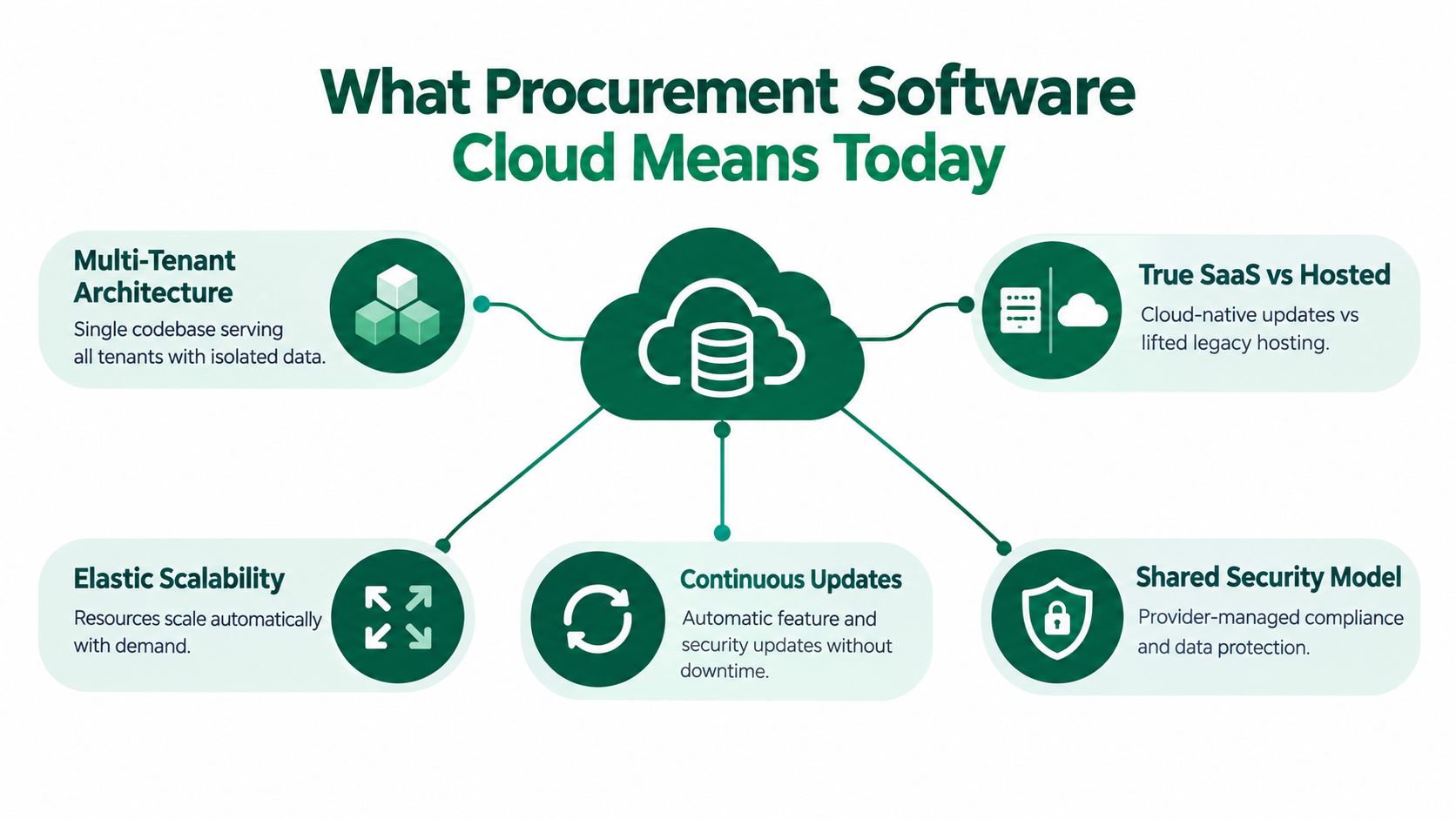
Procurement Software Cloud is procurement software delivered through a vendor-managed web platform, with access, workflow, and data control handled outside your own servers. For enterprise teams, that means buyers, approvers, finance, and audit users work from the same live record for requests, purchase orders, budgets, and invoices. The value is not the label. It is whether the platform gives you one operational record instead of scattered copies.
The architecture test that matters
A cloud claim is only useful if the architecture supports fast deployment and low-friction change. Independent implementation guidance notes that some cloud deployments can be configured in under four weeks, while on-premise implementations often require months of IT setup, customization, and training before users can rely on them. That gap shapes time-to-value, finance confidence, and how long the business depends on manual workarounds.
Real cloud procurement software also updates committed spend, budget availability, and approval status as transactions happen. If those figures only change after batch processing, the platform is not giving finance a current control layer. It is giving them a delayed view.
That difference matters in audit work too. When requests, approvals, exceptions, and purchase orders are written into the workflow as they occur, the trail exists because the process created it. Teams do not have to rebuild it later from exports and side logs.
Watch for this: hosted ERP modules often wear a cloud label while still behaving like older single-tenant systems with slow release cycles. If a vendor cannot explain tenancy, release cadence, and upgrade behavior clearly, treat the cloud claim as marketing until proven otherwise.
How to spot mislabeled software
Ask three questions. Is the product multi-tenant? Does it get continuous delivery without your team coordinating every release? Can it integrate live data without depending on nightly syncs? If the answers stay vague, you are probably looking at hosted legacy software, not true cloud-native procurement software.
That distinction affects more than convenience. It affects how quickly workflow logic improves, how reliably integrations stay current, and how much post-go-live manual reconciliation your team must carry. For enterprise buyers, that is an architecture decision with direct audit and operating risk.
Cloud vs On-Prem Procurement Platforms Compared
A procurement team feels the difference after go-live, not during the demo. Cloud wins when the business needs faster rollout, cleaner integration with distributed users, and a platform that can change without every upgrade becoming an IT project. On-prem wins only when local control outweighs speed and the organization is prepared to carry the operational load.
Evaluation Criteria | Procurement Software Cloud | On-Prem Procurement Platform |
|---|---|---|
Tenancy model | Usually built as multi-tenant software with shared infrastructure and standardized service updates | Often deployed as a dedicated environment with more isolated control |
Release cadence | Vendor controls the release path and pushes changes without customer-led upgrade projects | IT controls testing, scheduling, and rollout, which slows change |
Data lineage | Workflow events, approvals, and exceptions are captured as they happen, so the audit trail is native to the process | Teams often piece together history from exports, logs, and side systems |
Exit costs | Lower hardware footprint, but vendor dependencies and integration cleanup still matter | Higher internal lock-in through custom infrastructure, local scripts, and upgrade debt |
Time-to-value | Faster when the workflow is narrow and the integration model is simple | Slower, especially when internal coordination and testing gates stack up |
Integration posture | Better for live data flow across finance and procurement systems | More likely to rely on batch jobs and manual reconciliation |
Cloud is an architecture choice first. Software features come after that.
The biggest trade-off is time-to-value
Enterprise suites still take time to deliver value, even in the cloud. A comparison of procurement tools mapped heavier suites such as SAP Ariba and Oracle Procurement Cloud to long implementation windows, while lighter cloud tools were positioned for quicker deployment (comparison review). The point is simple. A cloud label does not tell you whether you are buying an operating layer for the enterprise or a narrower workflow tool for a specific problem.
Feature depth varies more than vendors admit
The same comparison showed that some cloud tools handle supplier communication and negotiation well but leave invoice processing or tax calculation to other systems, while others focus more tightly on finance automation (comparison review). That matters because hidden gaps usually show up after go-live, when the team discovers that procurement owns the request flow but finance still has to clean up the handoff.
Ask about data lineage, not just reporting. Can the platform show where a request started, who changed it, what triggered the approval, and where the record moved next? If it cannot, you are buying visibility on top of broken process, not control.
For a practical way to separate license cost from implementation, integration, and cleanup, use this procurement TCO framework. It gives procurement and finance a better basis for comparing real ownership costs before the PO goes out.
Key Benefits of Cloud Procurement Software in Practice
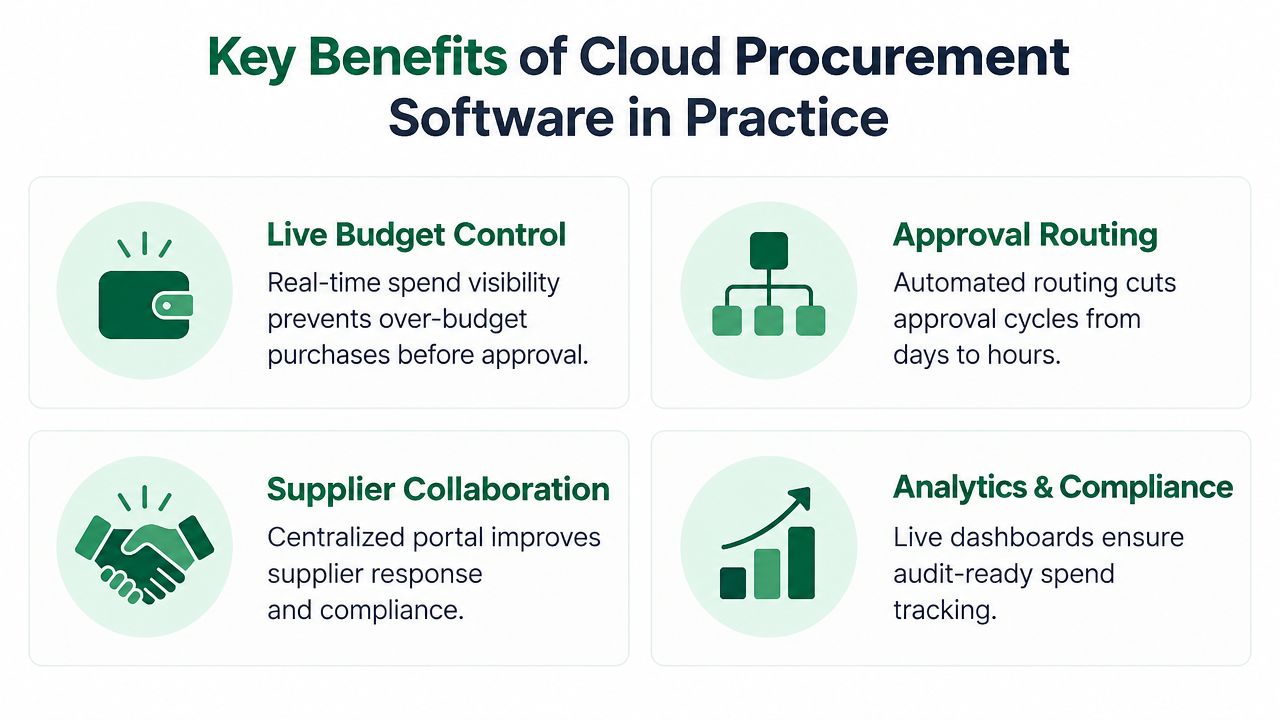
Cloud benefits show up when procurement, finance, and approvers work in the same live system instead of chasing requests through email. That is where approvals move faster, exceptions surface earlier, and month-end close gets less messy.
Live control beats after-the-fact reporting
Committed spend should update the moment a request or order changes. That gives approvers the chance to stop overspend before it lands, which is the value of budget control in cloud procurement software, as described in cloud guidance. Dashboards matter, but only after the system already controls the spend path.
Distributed teams feel the difference immediately. Cloud access removes the need to depend on office networks or VPN setups, so people can review and approve from any internet-connected device. If your approval chain crosses regions or time zones, that saves time and reduces the kind of friction that slows procurement down without adding any value.
Automatic updates lower hidden IT drag
On-prem teams carry the maintenance burden themselves. Patching, version control, and release coordination all sit on the internal IT queue, and procurement rarely gets priority until something fails. Cloud systems remove that overhead by keeping updates consistent across users, which means less local admin work and fewer version mismatches.
The business case gets stronger when AP and procurement share the same record
The weakest point in many procurement setups is the handoff to accounts payable. Cloud tools reduce missing POs, invoice mismatches, and manual reconciliation when both teams work from the same transaction history. That is the practical benefit, not a brochure claim.
Supplier collaboration and approval routing also improve when everyone sees the same status in real time. The workflow is clearer, audit trails are easier to follow, and procurement spends less time cleaning up after disconnected systems.
For teams planning a move from legacy systems, the IT Cloud Global, LLC cloud migration guide is a useful reference for the operational side of change, especially where control, integration, and audit risk matter.
For a visual walkthrough of how teams move, this short video is worth a watch.
How to Choose the Right Cloud Procurement Platform
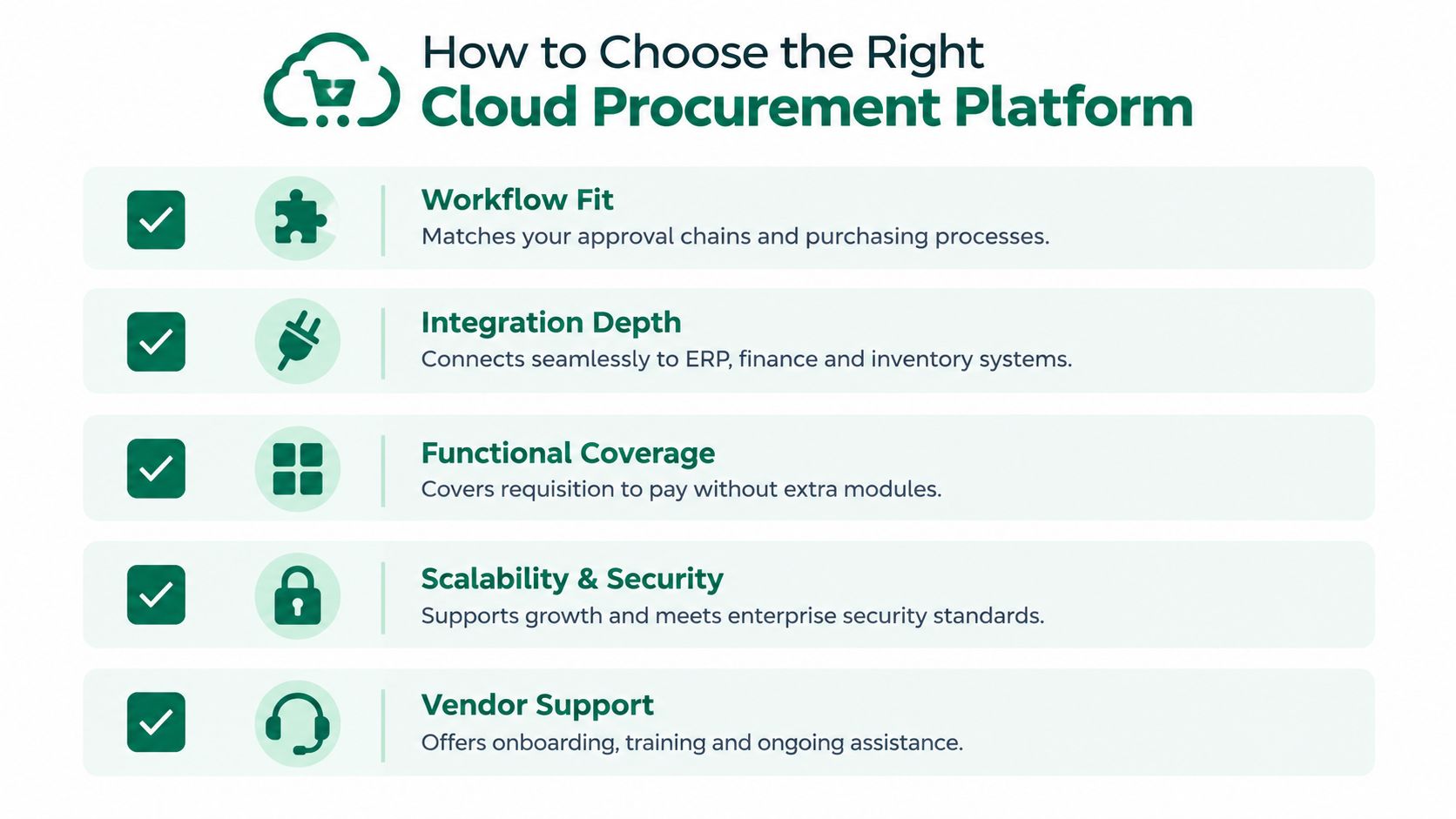
Start with the work the platform must support. Too many teams buy the biggest suite because it looks safer, then end up paying for modules they do not use while still building custom fixes for the gaps.
Match the platform to the work, not the brochure
The split between enterprise suites and lighter cloud tools is straightforward. Enterprise suites usually fit complex control needs and longer rollout cycles, while lighter tools fit faster deployment and narrower workflows. If intake and approvals are the problem, a heavy sourcing suite is the wrong buy. If sourcing, negotiation, and compliance evidence are the problem, a thin intake tool will not carry the load.
Choose the architecture, not the promise.
Check where the system connects, then check where it breaks
Integration depth matters more than a long feature list. The worst deployments I have seen broke because supplier, finance, and ERP data never formed a clean operating loop. Teams thought they were automating procurement. They were really adding a new screen on top of fragmented data.
Use a tight evaluation lens. If you need a more formal way to compare vendors, this SaaS vendor evaluation guide keeps the process focused and stops demo drift.
Workflow fit: confirm the approval chains, purchasing rules, and exception handling match how your business buys.
Integration depth: verify ERP, finance, and inventory connections at the field level, not just in the marketing diagram.
Functional coverage: check whether the platform handles requisition to pay, or whether it depends on extra modules and workarounds.
Scalability and security: ask how the vendor supports multi-entity operations, access controls, and upgrade discipline.
Vendor support: inspect onboarding, training, and how quickly issues get resolved after go-live.
Don't ignore the surrounding IT footprint
A procurement platform does not operate in isolation. Aging laptops, server rooms, and other dependent hardware still consume support time, so include optimize IT hardware ROI in the broader infrastructure conversation. The goal is simple. The cloud choice should reduce operational drag, not add another hidden layer.
Procright fits this selection stage when the buying motion needs evidence-based specification drafting, supplier discovery, and comparison against a locked requirement set. It is not a procurement ERP replacement, and you should not use it as one.
Migrating to the Cloud Without Disrupting Operations
The migration fails when teams treat it like a software install. It's a data cleanup exercise, an integration exercise, and a change-management exercise in the same project.
Start with the data that will break your rollout
Ardent Partners data cited in a 2025 S2P digitization report says poor data quality or access affects 42% of respondents, lack of integration with other enterprise systems affects 38%, and poor integration across S2P processes affects 35% (S2P digitization report). That is the migration risk. If your supplier records are inconsistent, your cutover will surface every inconsistency at once.
Clean supplier masters before you move anything. Then map the fields that matter for approvals, matching, and audit trails. If the new system can't preserve the data lineage you need for finance and compliance, stop and redesign the migration instead of forcing the rollout.
Phase the move, don't detonate the process
A strong migration sequence starts with one workflow slice, not the whole company. Move the least risky category or business unit first, verify the ERP and finance sync, then expand once users stop workarounding the new system. That approach protects live operations and gives you real evidence before the wider go-live.
Non-negotiable check: if users can't explain where a request sits, who approved it, and what happened to the budget line after approval, the migration isn't ready.
Change management matters more than slide decks. Train approvers before go-live, not after complaints start. Then watch for spec drift, because the moment people learn a new system, they often start asking for exceptions that undo the design. This onboarding guide for procurement tools is a good reference if you need to protect active sourcing work while the platform changes underneath it.
Recommendations for Different Enterprise Scenarios
If your team is distributed, fast-moving, and tired of VPN friction, choose cloud. The decisive factor is access, because procurement only works when approvers can act in real time from wherever they are.
Best fit for cloud: distributed teams, growing companies, and organizations that need live budget control more than they need local infrastructure control.
If you run highly regulated sourcing with complex category rules, cloud still works, but only if the platform gives you strong audit trails, role control, and integration discipline. The important part isn't whether the vendor says “AI,” it's whether the system preserves a defensible decision record from request to award.
If your current ERP module is the only system your IT team can support and the procurement process is narrow, staying on-prem for now can be rational. Just be honest about the trade-off, you're paying for control with slower change and more manual overhead.
If your buying motion depends on locked specifications, evidence-backed supplier comparisons, and drift detection before signature, a cloud model with strong workflow traceability is the right base. Procright belongs in that conversation as an analysis layer for sourcing decisions, not as a replacement for your core procurement system.
For teams that need cloud procurement software but can't afford a messy migration, Procright helps you build auditable sourcing records, compare suppliers against requirements, and keep spec drift visible before anyone signs. If you're ready to move from platform debate to a defensible buying process, visit Procright and start with the workflow you need to prove first.
Try it on a real buy
Bring one category. Watch where the flags land.
We use a little analytics to see which pages actually help. Nothing else, no ad trackers.