AI vs. Traditional Procurement: Workflow Analytics
Compare AI and traditional procurement analytics: how predictive workflow insights cut cycle times, reduce errors, and improve compliance.

If I had to sum it up in one line: AI helps me spot procurement delays, errors, and policy misses before they turn into cost and rework. Older analytics mostly tells me what already happened.
Here’s the short version:
Manual vs. automated procurement analytics shows that older methods are backward-looking. It depends on ERP exports, spreadsheets, and batch reports.
AI-led workflow analytics is forward-looking. It flags likely delays, invoice issues, and policy breaches while work is still moving.
The main difference is timing. One shows past results. The other helps me act earlier.
The payoff can be large. Teams using AI report up to 60% shorter cycle times, 40% fewer compliance errors, and 70%–85% touchless invoice processing.
Data still matters most. If supplier, ERP, and AP data are messy, results will be weaker. This is why aggregating multi-source product data is a critical first step.
Upstream inputs matter too. If specs and product comparisons are clean before a PO starts, downstream analytics works better.
Put another way: procurement does not usually fail because teams lack reports. It fails because teams see problems too late.
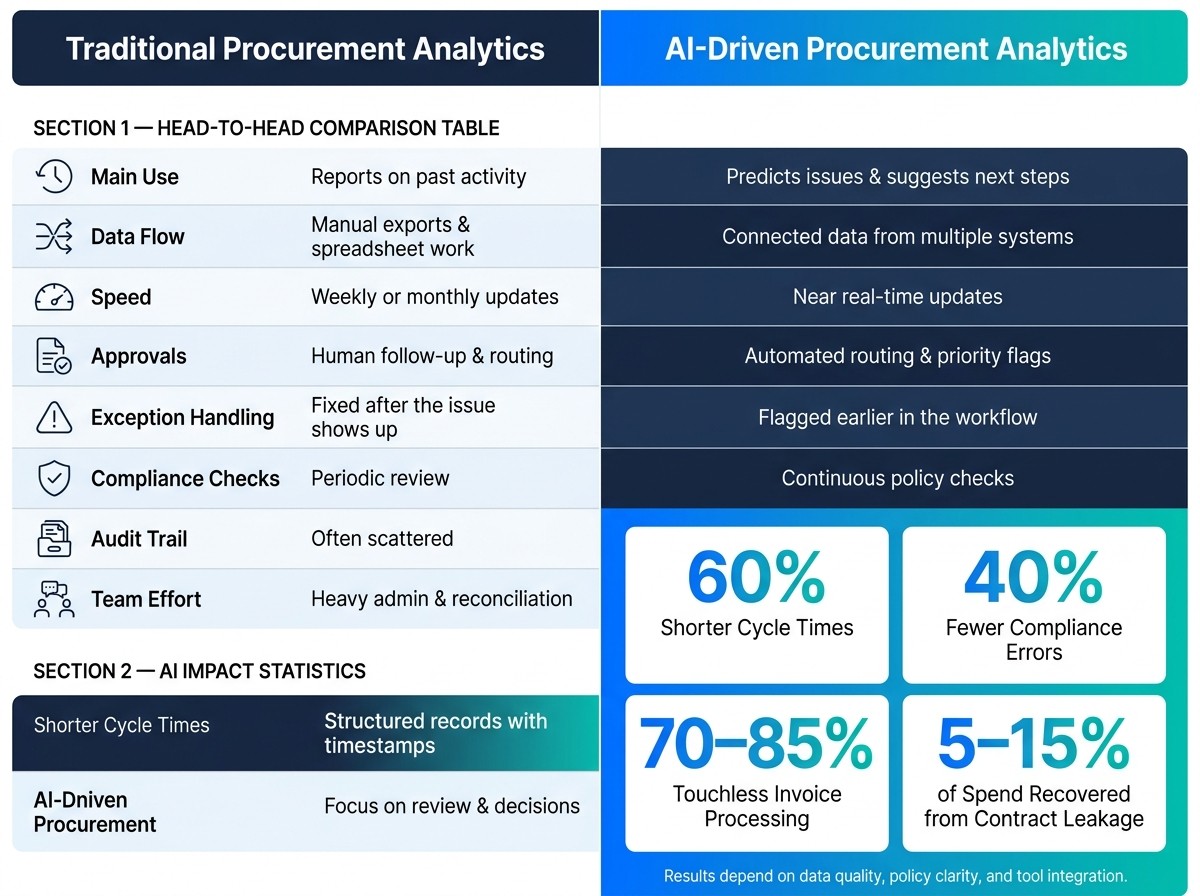
AI vs. Traditional Procurement Analytics: Key Differences & Impact
Tools and AI in Procurement Analytics | Technology Insights of Purchasing (Episode 4b)
Quick Comparison
Criteria | Manual vs. AI procurement analytics | AI-Driven Procurement Analytics |
|---|---|---|
Main use | Reports on past activity | Predicts issues and suggests next steps |
Data flow | Manual exports and spreadsheet work | Connected data from multiple systems |
Speed | Weekly or monthly updates | Near real-time updates |
Approvals | Human follow-up and routing | Automated routing and priority flags |
Exception handling | Fixed after the issue shows up | Flagged earlier in the workflow |
Compliance checks | Periodic review | |
Audit trail | Often scattered | Structured records with timestamps |
Team effort | Heavy admin and reconciliation | More focus on review and decisions |
What stands out to me is simple: AI outperforms older workflow analytics when data is clean enough, policy rules are clear, and insights appear inside the tools people already use.
How Traditional Procurement Workflow Analytics Works
How traditional workflows are tracked
Traditional procurement tracking follows the R2P cycle. But in most companies, approvals, POs, invoice checks, and payments live in different systems.
So what happens next? Teams export data by hand, clean it up in spreadsheets, and stitch together reports that usually show up weekly or monthly. By the time leaders read them, the numbers can already be weeks old. That's a big reason older procurement analytics tends to look backward instead of helping teams act in the moment.
Where traditional analytics falls short
The main issue isn't data volume. It's fragmentation.
ERP exports, AP data, supplier records, and approval emails often don't match cleanly. Names differ. Formats clash. Email threads leave gaps. Teams end up spending a lot of time reconciling all of it.
Industry estimates say that 60%–70% of a standard procurement analytics implementation goes into data plumbing alone. In plain English: most of the work happens before any useful analysis even starts.
And that has a cost. When teams are stuck cleaning data, they stay in reporting mode. They have less time to spot bottlenecks early enough to stop leakage. That's where the gap between older analytics and future-state needs becomes hard to ignore.
Comparison table: traditional analytics vs. future-state needs
Capability | Traditional Workflow Analytics | Future-State Need |
|---|---|---|
Data Sources | Manual ERP exports, spreadsheets, email threads | Automated API connections, unstructured data such as PDFs and supplier emails |
Update Frequency | Periodic - weekly, monthly, or quarterly | Real-time or near real-time continuous updates |
Insight Type | Descriptive: What happened? | Predictive and prescriptive: What will happen? What should we do? |
Human Effort | High - focused on data entry, cleaning, and reconciliation | Low - focused on strategic decisions and exception management |
Workflow Visibility | Fragmented and siloed by department or module | Unified view across the full procurement cycle |
Traditional analytics tells you what already happened. AI adds earlier warning signs and helps teams move faster. It connects scattered data, spots risk sooner, and cuts down on manual cleanup.
AI-Driven Predictive Workflow Analytics in Procurement
What AI adds to procurement analytics
Old-school analytics tells you what already went wrong. AI helps you see trouble coming and act before it turns into delay, rework, or bad spend.
That’s the big shift. It’s not just about getting reports faster. It’s about moving procurement from descriptive reporting to predictive and prescriptive analytics. Many teams still live in the descriptive stage, which leaves a value gap of 5–15% of category spend on the table.
In practice, AI can predict approval delays, flag invoice exceptions, and push high-risk requests to the top of the review queue. The same pattern works across approvals, exceptions, and invoice control. On the invoice side, AI can catch duplicate invoices, mismatches, and unusual payment behavior before money goes out. AI-driven P2P automation can deliver touchless invoice processing rates of 70–85%, while shrinking approval cycles from days to minutes.
Here’s the good news: you don’t need perfect data on day one. Modern AI platforms can clean up and enrich messy inputs as they work, which means teams can start seeing results even at 80% data quality. But there’s a catch. Those insights need to show up inside the tools people already use each day, not sit in a separate dashboard nobody checks, because that’s what drives adoption.
How Procright improves upstream workflow data
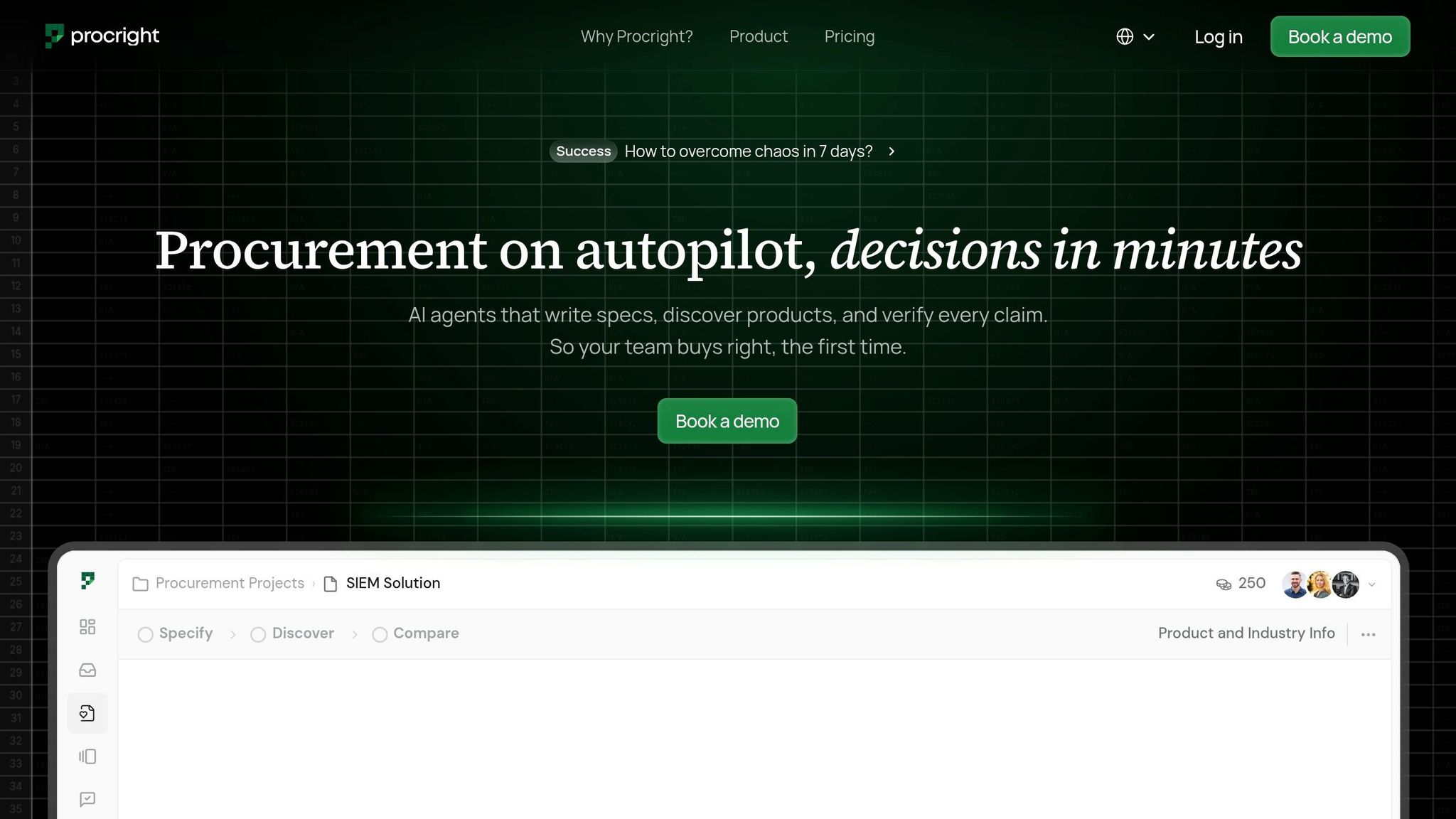
Workflow analytics gets better only when the source data is clean and structured before the buying cycle starts. That’s where Procright comes in.
The platform works at the front end of procurement, before a vendor is chosen or a PO is created. It automates three connected stages:
Specify: AI-assisted specification writing
Discover: matching specs to real products
Compare: line-level compliance scoring
At each step, Procright turns messy inputs from PDFs, Excel files, emails, and handwritten notes into a consistent format that downstream systems can use.
Its compliance scoring ties each product back to the exact spec lines it matches, with citations to source documentation. That gives teams a structured, auditable record of why a product was selected. In plain English, it cuts rework and makes decisions easier to trace. And when upstream data is cleaner, downstream workflow analytics gets more accurate.
AI vs. Traditional Procurement: Direct Workflow Comparison
These differences show up in the numbers procurement teams already watch: turnaround, exceptions, match rate, and maverick spend.
Data visibility, speed, and cycle time
In many teams, procurement data lives in too many places at once. One part sits in spreadsheets, another in email, and another in ERP exports. That setup slows everything down because people have to chase updates, compare files, and fix gaps by hand.
AI-driven workflows change that by pulling ERP, P2P, and CLM data into one live view. Approvals can move on their own, and exceptions can surface before they hold up a PO. So the gap isn't just better visibility. It's the ability to act while there's still time to fix the issue. Predictive procurement can cut cycle times by up to 60%.
Dimension | Traditional Workflows | AI-Driven Workflows |
|---|---|---|
Error rates | High; manual entry and reconciliation | Reduced through automated validation |
Traceability | Inconsistent; hard to audit | Structured, auditable records at each step |
Cycle time | Slow; dependent on human handoffs | Faster through automated routing |
Predictive decision-making and compliance control
The biggest gap comes down to timing: traditional teams find out late, while AI spots trouble early.
Traditional procurement usually depends on batch reports. By the time someone reviews them, the problem may already have turned into a delay, a policy miss, or extra spend. AI can flag policy exceptions, approval-limit breaches, and contract misalignments in real time. Teams that have moved in this direction report a 40% drop in compliance errors.
That early warning matters for spend control too. Real-time monitoring can help prevent contract leakage, which typically accounts for 5% to 15% of contracted spend. Put plainly, this isn't just about cleaner reporting. It's about stopping money from slipping through the cracks.
Analytics dimension | Traditional procurement | AI-driven procurement |
|---|---|---|
Descriptive (what happened) | Primary reporting mode | Baseline; handled automatically |
Diagnostic (why it happened) | Manual investigation | Automated root-cause detection |
Predictive (what will happen) | Rarely available | Delay and shortage forecasting |
Prescriptive (what to do) | Absent | Automated recommendations and routing |
Approval threshold checks | Manual review against policy | Real-time policy enforcement |
Contract adherence | Periodic audits | Continuous automated monitoring |
Audit readiness | Inconsistent documentation | Structured, timestamped records |
Exception handling | Reactive; caught after the fact | Proactive; flagged before escalation |
Human roles and change management
Manual procurement eats up too much time with admin work. Procurement professionals spend about 35% of their week on data collection, entry, and reconciliation. That's a big chunk of time spent feeding the process instead of steering it.
When routine work is automated, teams get more room for the parts of procurement that still need human judgment. That includes resolving supplier disputes, negotiating contracts, and managing risk. Those tasks don't disappear. If anything, they matter more once the busywork starts to fade.
There's a human side to this shift, though. Teams that have relied on Excel-based reporting for years often don't trust automated dashboards on day one. That's normal. A practical way to handle it is to run AI dashboards alongside spreadsheets for one quarter. That gives people time to compare outputs, build trust, and keep operations steady.
Governance matters just as much. Standalone analytics tools that sit outside the daily workflow tend to lose adoption fast - often below 30% within 90 days. When analytics sits inside the approval and requisition tools people already use, adoption stays above 70% and helps avoid the usual dashboard drop-off.
That leads straight to the next issue: what data, controls, and workflows need to be in place before AI can scale?
Implementation Roadmap and Conclusion
What to prepare before adoption
Once AI has a clear view of the workflow, the next job is getting the process ready for automation. Before any AI tool goes live, the data underneath it needs to be in decent shape. Not perfect. Just stable enough to support the system.
That means clean ERP and AP data, consistent supplier master records, and a mapped requisition-to-payment workflow. Those are the minimum starting points. In most cases, data prep is the biggest part of implementation. It clears out the gaps that slow down old-school analytics.
It also helps to capture baseline KPIs early and turn policy rules into machine-readable rules.
Weak governance and fragmented data limit AI.
How to pilot and scale
Once the data and rules are ready, begin with one workflow that’s easy to measure. A good place to start is approval routing, since delay rates and exception rates are usually simple to track. Run the pilot alongside the current process so you can compare outputs without disrupting day-to-day operations.
Focus on a small set of metrics:
Cycle time
Exception rate
Compliance rate
Invoice cost
If those numbers move in the right direction, expand to a second business unit or category. The aim is to place AI insights right inside daily procurement work instead of keeping them stuck in separate reports.
Conclusion: When AI outperforms manual procurement analytics
If the pilot proves the model, the case for AI gets much easier to see. Manual analytics is slow, backward-looking, and fragmented. AI improves visibility, speed, and compliance control. Companies using AI and predictive models have achieved 20–50% better forecast accuracy, and AI-enabled procurement can boost productivity by 60% or more.
Clean upstream data is what makes predictive analytics work. That’s where a platform like Procright fits in: by automating specification creation and compliance verification upstream, it gives predictive analytics the reliable inputs it needs. AI outperforms manual analytics when upstream data is structured, policy is encoded, and exceptions are visible in real time.
FAQs
How clean does my data need to be before AI can help?
Your data doesn’t need to be perfect before you start using AI. You just need enough reliable signals to support a decision, spot a pattern, or trigger a workflow.
A smart way to start is with spend categories where your data is already dependable. Then you can expand as data quality gets better.
Procright can help close the gaps by:
identifying missing technical requirements
reverse-engineering categories from existing documentation
combining past specifications into one clean document
That gives you a practical place to start without waiting for every data point to be in perfect shape.
What procurement workflow should I automate first with AI?
Start with pre-purchase intelligence workflows. When you focus on the front of the buying cycle, before sourcing starts, you set the stage for better results. Clear, complete specs and vendor compliance from day one make the whole process run with fewer surprises.
With Procright, you can automate:
AI-assisted spec writing
Smart product discovery
Item-by-item compliance scoring
How does AI improve compliance without adding manual work?
Procright helps teams stay compliant by automating spec creation and vendor review before sourcing starts. It flags missing requirements, fills in technical details, and helps make sure specs are complete from day one.
It also scores products against each line of your spec and shows compliance in plain terms: met, partially met, or missing. Each score includes source citations, so you have a traceable record that makes internal checks and auditor reviews much easier.