AI Tools for Data Validation in Procurement
AI-driven validation for procurement: validate specs, invoices, and supplier master data to prevent duplicates, payment errors, and compliance gaps.

Bad procurement data costs money fast. I’d focus on three checkpoints: specs before sourcing, documents before payment, and supplier master data all year. That’s the short answer.
Here’s what stood out to me from the article:
0.8% to 2.0% of AP spend is lost to payment errors each year
60% to 80% of duplicate payments are fuzzy matches that many ERP checks miss
14% of invoices contain exceptions
Manual invoice processing costs about $10.18 per invoice
Some AI invoice flows reach 87%+ touchless processing
Vendor files can have 30% to 50% bad or old records
If I were choosing tools, I’d look for these core checks first:
Required-field checks for requisitions and specs
AI OCR for invoices, PDFs, scans, and email attachments
2-way, 3-way, and 4-way matching
Duplicate detection across ERP systems
TIN, address, bank, and sanctions checks
Audit logs, source links, and rule-based exception handling
This article covers tools across three groups:
Upstream spec and compliance tools like Procright
Invoice and document validation tools like SAP Ariba, Vic.ai, eZintegrations, ProcureDesk, and Sourced
Supplier master data and spend tools like Atlas, matchlogic, Relish Data Assure, Claro, FlexTrap, and SAS Payment Integrity

AI Procurement Data Validation: Key Stats & ROI at a Glance
AI Academy: Episode 3 – Automated Data Validation and Smart Routing
Quick Comparison
Area | What the tools check | Example tools | What I’d watch for |
|---|---|---|---|
Missing fields, vague requirements, product-fit checks | Procright | Source traceability, change history | |
Invoice and document validation | OCR extraction, matching, duplicate checks, tax checks | SAP Ariba, Vic.ai, ProcureDesk, Sourced | Line-level matching, confidence scores |
Supplier master and spend | Duplicate vendors, TIN/bank/address checks, spend outliers | Atlas, matchlogic, Relish Data Assure, FlexTrap | Cross-ERP checks, pre-payment controls |
The main takeaway is simple: the best procurement validation tools stop bad data before it spreads. I’d give the most weight to tools that check data early, flag mismatches before payment, and keep supplier records clean with clear audit trails. This proactive approach is essential for supplier risk monitoring to catch threats before they impact the business.
AI Tools for Specification and Compliance Validation
Bad procurement data usually starts much earlier than the invoice stage. In many cases, the problem begins with unclear requirements. A buyer leaves a field vague, skips a detail, or enters incomplete specs at intake. From there, the issue snowballs. Fixing it later takes more time and more money. One example is Procright, which checks requirements before sourcing begins.
Procright: Structured Specifications and Compliance Checks
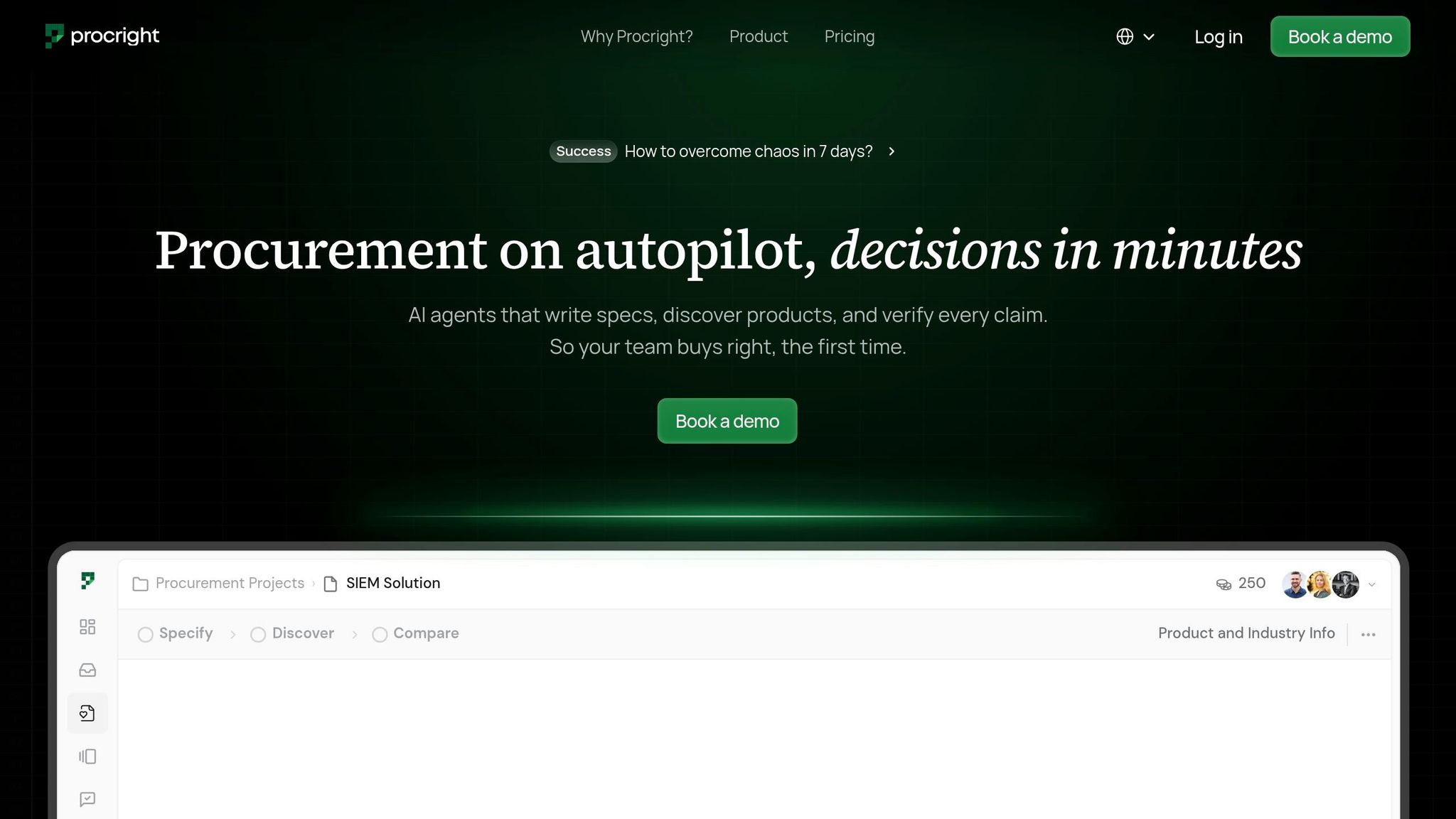
Procright is an AI-powered procurement platform built to improve upstream data quality. It automates specification creation with AI, product matching, and compliance verification so procurement teams can make decisions based on checked inputs.
The platform uses AI agents to spot missing requirements and suggest technical details based on industry standards. That matters because standardized product data leads to fewer mismatches, fewer exceptions, and less rework later.
Procright can pull specification data from PDFs, web content, and videos. It also shows how well each product matches the requirements before sourcing moves ahead. For U.S. teams, it supports USD, MM/DD/YYYY dates, and imperial units. Procright says this can cut specification errors by 90% and reduce research time by up to 30 days.
That example points to the main things upstream tools should do well.
Key Features to Look for in Upstream Validation Tools
Use this checklist when comparing upstream validation tools:
Capability | Why It Matters |
|---|---|
Required-field enforcement | Stops incomplete requisitions before sourcing |
Ambiguity detection | Flags vague language that leads to mismatched quotes |
Standardized product attributes | Makes vendors bid against the same specs |
Shows compliance against the original specs side by side | |
Source traceability | Links each value to the original source |
Audit-friendly change history | Shows who changed what, when, and why |
Source traceability matters most here. Every extracted value should link back to its original source so a team can review it fast and with confidence. On top of that, AI-powered requirement validation and risk detection can reach up to 95% accuracy.
AI Tools for Invoice, PO, and Document Validation
After upstream specification checks, the next validation layer is transaction documents. That’s where most AP mistakes show up. Manual re-keying here is slow, and it opens the door to typos, mismatches, and duplicate payments. The median cost to process one invoice by hand is $10.18, so this is the point where teams need to catch errors before money goes out.
Invoice Extraction, Matching, and Discrepancy Detection
AI invoice validation brings together extraction, matching, and duplicate checks in one flow. It often starts with AI OCR that reads documents without supplier-specific templates, which pulls data from PDFs, scans, and emails without relying on fixed supplier layouts. That matters for a simple reason: supplier invoice formats change all the time, and template-based systems tend to fall apart when they do.
Next comes three-way matching. The system compares the invoice against the PO and receipt to confirm that the billed items were both ordered and received. Some platforms add a fourth document, such as an inspection report or delivery note, for four-way matching. More advanced tools also check line items, not just totals. So even if the final amount looks fine, the system can still catch differences in unit price, quantity, or part numbers. If something doesn’t line up, it gets flagged before the invoice moves to payment approval.
Confidence scoring adds another filter. These tools assign a match score on a 0.0-1.0 scale. High-confidence invoices move ahead automatically. Lower-confidence ones get routed to a person for review. In practice, that setup can support touchless processing rates of 87% or higher within three months of rollout.
Duplicate detection runs alongside all of this. AI checks invoice numbers, dates, vendor IDs, and amounts to spot duplicates before they hit the ERP. That matters because 60% to 80% of duplicate payments in live AP work are fuzzy matches that standard ERP controls miss. In 2025, Aspen Dental used the FlexTrap AP Intelligence platform and stopped more than $675,000 in wrong payments during its first six months by finding errors its ERP did not catch.
Document Validation Capabilities: Comparison Table
Use these tools to compare extraction, matching, and discrepancy checks across document types.
Tool | Document Types Supported | Key Validation Capabilities | Expected Impact |
|---|---|---|---|
SAP Ariba Invoicing | Invoices, POs, receipts | Multi-model AI OCR, smart matching, tax code assignment | Automated invoice capture and matching |
Vic.ai | Invoices, POs, receipts, delivery notes | 2/3/4-way matching, line-item error detection, matches invoices even when the PO number is missing | Flags exceptions and mismatches before approval |
eZintegrations (Goldfinch AI) | PDFs, scans, EDI 810, email | ML confidence scoring, 3-way match (invoice/PO/GR), mismatch scoring | 87%+ touchless processing rate |
ProcureDesk | Invoices, receipts, packing slips | AI OCR that reads documents without supplier-specific templates, predictive GL coding, duplicate detection | Catches data-entry errors and duplicate submissions |
Sourced | PDFs, images, XML, e-invoices | Tax authority validation, price/quantity discrepancy alerts | Flags compliance issues and pricing mismatches |
From here, the next control point is supplier master data and spend validation.
AI Tools for Supplier Master Data and Spend Validation
Bad master data has a way of spreading everywhere. Duplicate vendors, mismatched tax IDs, and old bank details don’t stay in one place. They flow into requisitions, POs, and invoices.
Supplier and Item Master Data Cleansing
Research shows that 30% to 50% of vendor master file (VMF) records are erroneous or outdated at a given time, and about 20% of vendors change critical details every year without notifying their customers. That slow drift can distort spend reports, cause payment failures, and create compliance risk.
AI tools help clean master data through deduplication, normalization, and enrichment. In plain terms, they find records that refer to the same supplier, fix formatting issues, and fill in missing business details. They use fuzzy matching and entity resolution to merge duplicate vendors and standardize tax IDs, addresses, and legal names. For U.S. teams, that often means validating TINs and formatting addresses to USPS standards. Tools like matchlogic also expand abbreviations and standardize legal suffixes, which helps stop one supplier from showing up as several records across systems.
At Industrial Alliance, Director Chantale Boulanger used matchlogic and found that a vendor database thought to contain 800,000 records actually had only 520,000 unique entities. The rest were duplicates spread across three disconnected procurement systems. At Grand Valley State University, Assistant Controller Erica Herwig put Relish Data Assure in place and reduced supplier validation time from about two weeks to under five minutes by automating checks for tax information, banking details, and sanctions lists.
Platforms like Atlas (Supplier.io) also bring in firmographics, diversity classifications, and sustainability designations automatically, even for suppliers that haven’t self-registered.
When the master data is clean, policy checks and AI-driven supplier performance tracking work much better.
Spend Anomaly Detection and Policy-Based Field Checks
Once the base data is in good shape, the next step is watching what the company is actually paying for. AI spend validation tools review 100% of invoices in real time and run automated checks before payment goes out. That changes the model from "pay and recover" to "prevent before payment".
These tools flag unusual activity, such as:
A unit price that is 20% above a 90-day rolling average
A GL code that doesn’t fit the spend category
A supplier bank detail change
Policy-based validation checks required fields at submission or approval time, including cost centers, GL codes, delivery addresses, and set tolerances for price or quantity variance. Non-PO invoices get more attention because they don’t have three-way match controls and carry the highest transaction risk.
Between 0.8% and 2.0% of total AP spend leaks to payment errors each year. Tools like FlexTrap work across several ERP systems, including SAP, Oracle, NetSuite, and Dynamics 365. That matters because cross-system duplicates can slip past the built-in checks of a single ERP. FlexTrap helps surface those issues before money leaves the business. Aspen Dental stopped more than $675,000 in wrong payments in its first six months with FlexTrap by catching errors its ERP missed.
SAS Payment Integrity uses network analysis to flag collusion patterns in transaction data, so spend validation reflects the full transaction history.
Master Data and Spend Validation Coverage: Comparison Table
Tool | Primary Data Domain | Key Capabilities | Validation Timing |
|---|---|---|---|
Atlas (Supplier.io) | Supplier Master | Entity resolution, hierarchy mapping, diversity/ESG enrichment | Continuous |
matchlogic | Vendor Master | Fuzzy matching, legal suffix normalization, abbreviation expansion, 96% avg. accuracy | Batch / Real-time |
Relish Data Assure | Supplier / Bank Data | Real-time TIN, global address, and bank-account verification; sanctions screening | Onboarding & Lifecycle |
Claro | Item / Product Master | Unit normalization, attribute enrichment, drift detection | Continuous |
FlexTrap | Spend / AP Transactions | Fuzzy duplicate detection, GL coding outliers, bank detail change tracking, cross-ERP visibility | Pre-payment |
SAS Payment Integrity | Procurement / Spend | Network analysis, risk scoring, collusion pattern detection | Continuous monitoring |
All listed tools include audit logs.
Most of these platforms connect through read-only ERP access, which helps avoid middleware-heavy rollouts. FlexTrap can often be deployed in 30 days or less.
The next step is governance: set owners, thresholds, and exception review paths before rollout.
Implementation Priorities and Conclusion
Integration, Governance, and Success Metrics
Once validation covers specs, documents, and master data, the next piece is rollout discipline. Data validation cuts errors only if the tool fits the way people already work. Before deployment, check system connectivity and data readiness. Go with native connectors instead of custom builds when you can. And use native AI that sits inside the data model, not something bolted on later. If a dataset has less than 80% key-field completion, treat it as not ready for automation.
Governance matters just as much as the tech. Give each exception type one clear owner, set response deadlines, and spell out when a human needs to step in and override the system. For SOX controls, use rule-based logic instead of confidence-only decisions, so auditors can trace the exact rule behind each outcome. Log every decision with the source data, rule applied, owner, and timestamp.
Once integration and ownership are in place, track whether the controls are cutting exceptions in practice. The main metrics to watch are:
Cost per PO
P2P cycle time
Touchless rate
Three-way match accuracy
AI-driven P2P agents can cut the cost per PO from $30–$50 to under $5, and shrink P2P cycle time from 30–45 days to under 5 days.
Conclusion: Key Capabilities to Prioritize
Data validation works best when it starts early and keeps running. Put the focus on tools that validate early, log every decision, and keep master data clean at all times.
FAQs
Where should procurement teams start with AI data validation?
Start with specific, clearly defined spend areas where the data is already reliable enough to support decisions, flag risk, or kick off workflows.
Before any AI pilot, run a structured data health check to confirm consistency, accuracy, and governance. Once that base is in place, Procright can help automate specification creation, analyze requirements, and deliver transparent, audit-ready compliance scores.
How do AI tools catch invoice errors before payment?
AI tools catch invoice errors before payment by automating three-way matching across the purchase order, goods receipt, and vendor invoice.
They use machine learning to pull out and compare line-item details like quantities, prices, and terms. When something looks off, the system flags mismatches before approval, including pricing variances, duplicate invoices, unauthorized charges, formatting errors, and math inconsistencies.
What makes supplier master data validation so important?
Supplier master data validation is the starting point for effective procurement. If that data is incomplete, inconsistent, or wrong, AI-driven insights start to wobble. Bad data leads to faulty projections, and faulty projections lead to poor calls.
It also helps teams work with fewer mistakes and less risk. Strong validation can prevent invoice-matching failures, duplicate vendor records, payment errors, fraud, audit failures, and compliance gaps.